
View
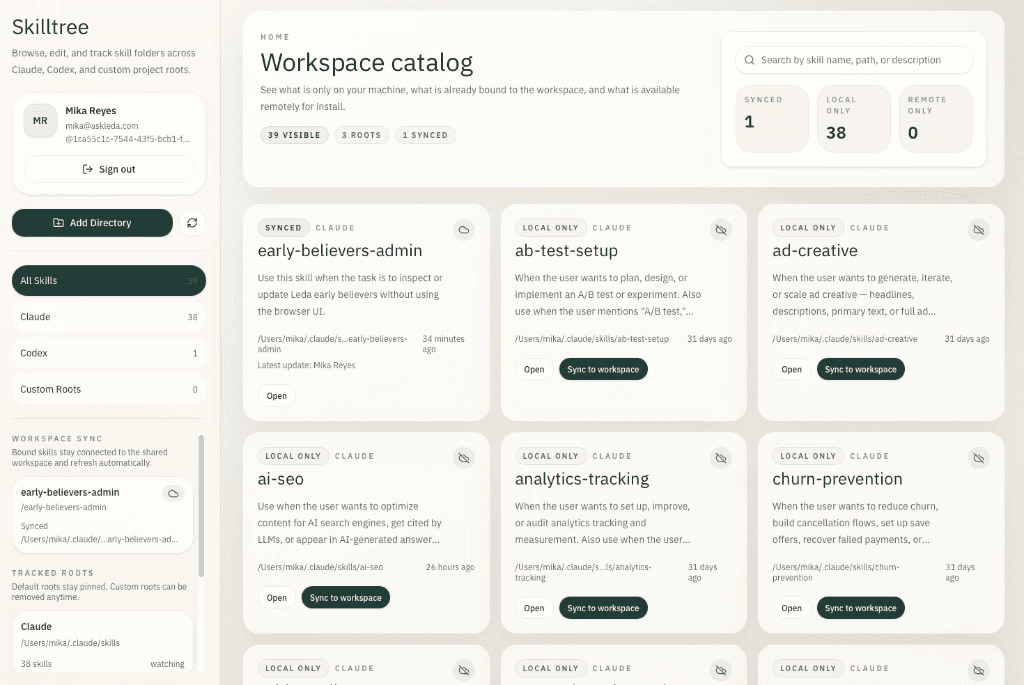
Connect once, then browse every skill on your machine in a single catalog—paths, status, and what is shared vs local at a glance.
For teams building with AI
View every skill on your machine and sync to a shared workspace
Desktop app for people who already use Claude Code, Cursor, Codex, and custom setups.
View
Connect once, then browse every skill on your machine in a single catalog—paths, status, and what is shared vs local at a glance.
Share
You choose which skills land in the workspace. Teammates only see what you explicitly share—no accidental exports.
Sync
After a skill is synced, changes you make on your machine propagate to everyone else in the workspace, so you are never on mystery versions.
Install
Pull skills teammates have added to the workspace onto your machine in a few clicks—same instructions they run, on your setup.
Edit
Update copy, rename skills, and refine behavior in the built-in editor—no hunting through raw folders just to fix a line.
Once you join a Workspace, Skilltree detects all the skills on your machine. No need to upload them manually.
Visually see all your skills across your favorite LLMs in one place. Preview each skill and edit when you need to.
Share skills to the workspace for others to use on their machines. Edits you make on a shared skill sync across devices.
We wanted one place to find our skills, edit them with context, and sync them to a shared workspace so both of us—and eventually the rest of the team—always pulled the same version. We built Skilltree because we were tired of Airdropping our .md files.
If your company relies on the same few skills across roles, you have probably hit the same wall. We think that is useful for other teams too, so we are opening it up to a handful of teams while we learn what sticks.